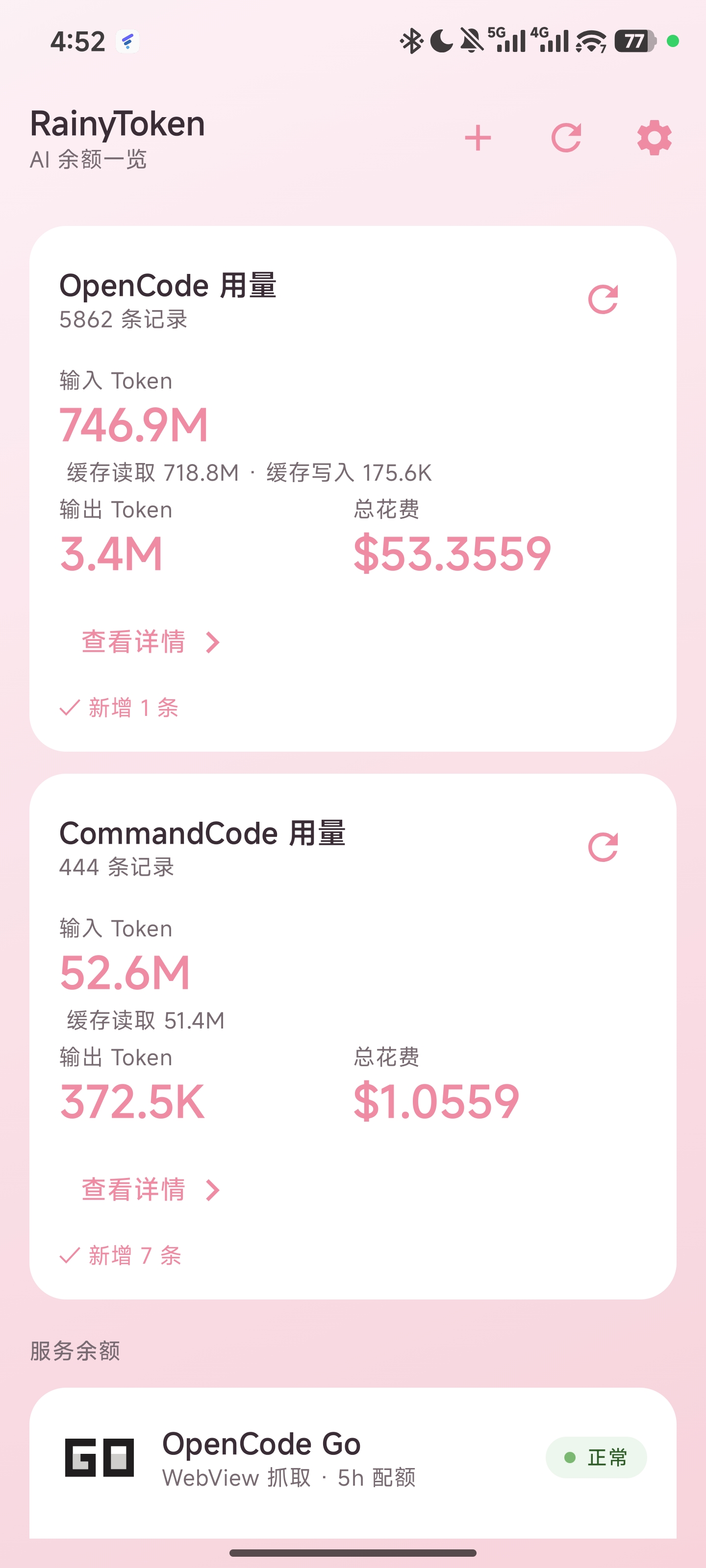
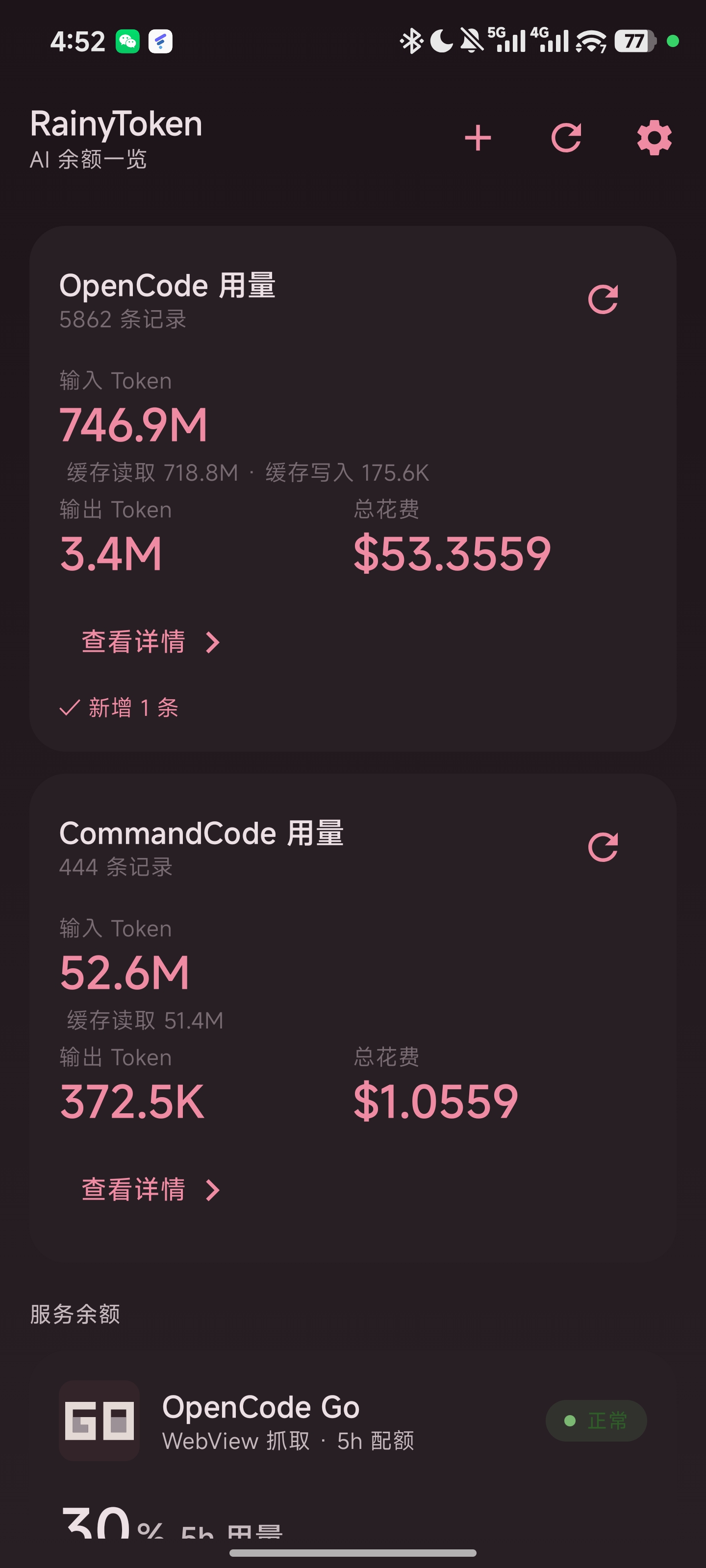
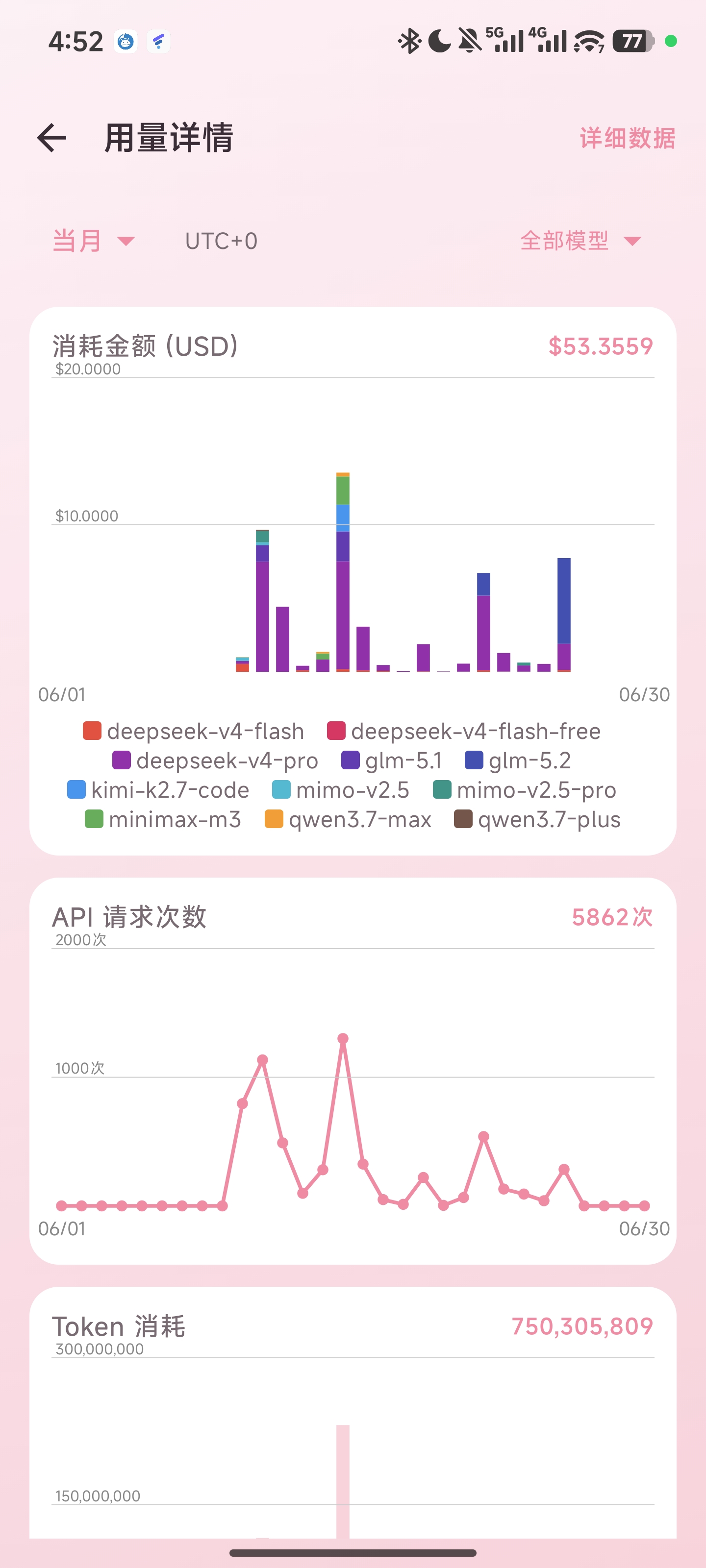
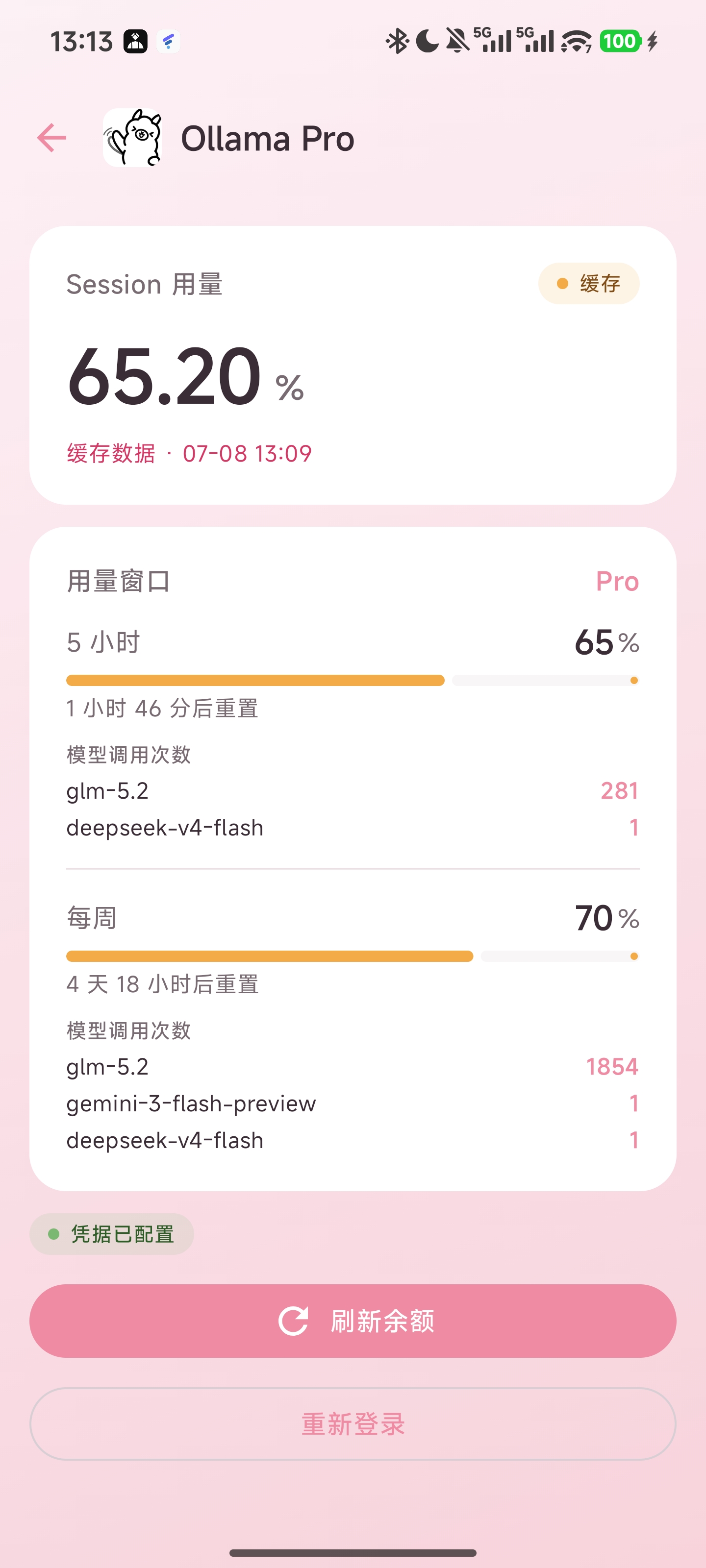
Dashboard (light) · Dashboard (dark) · Usage charts · Ollama model call counts
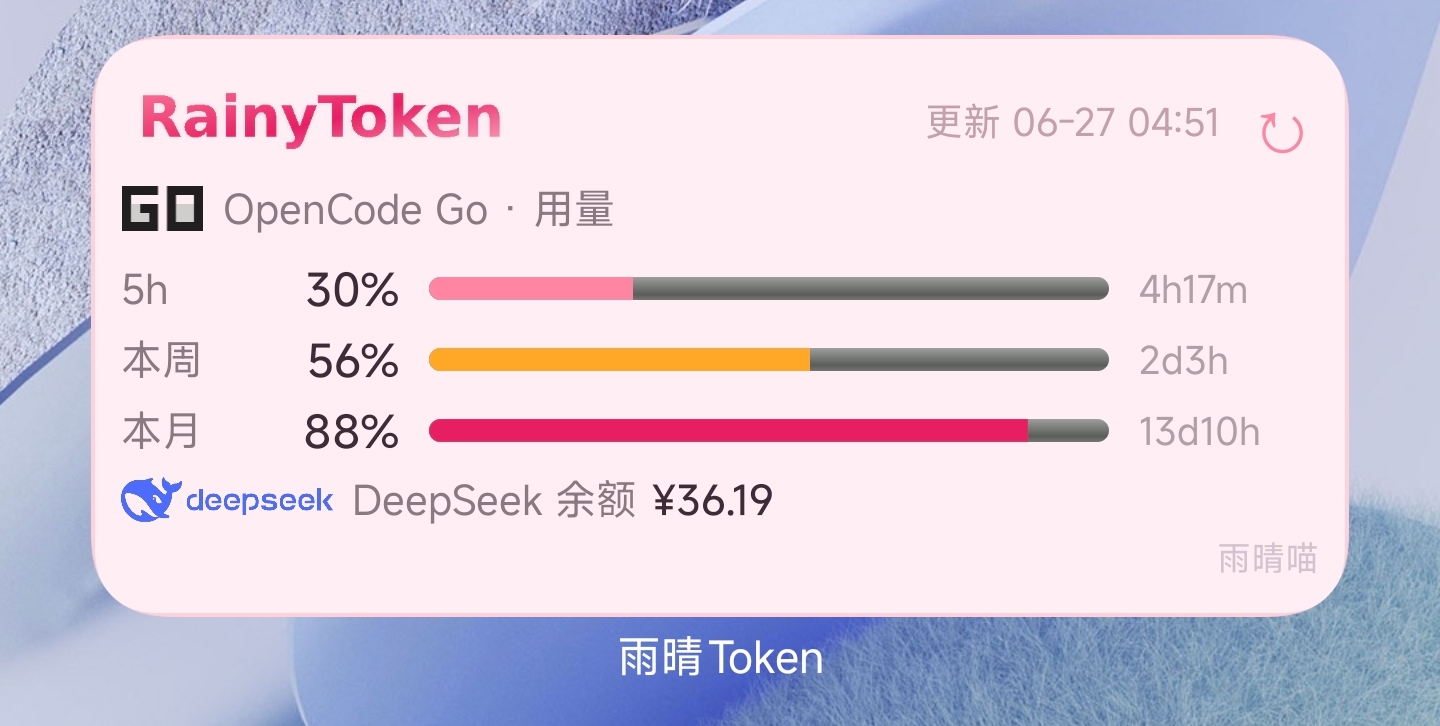
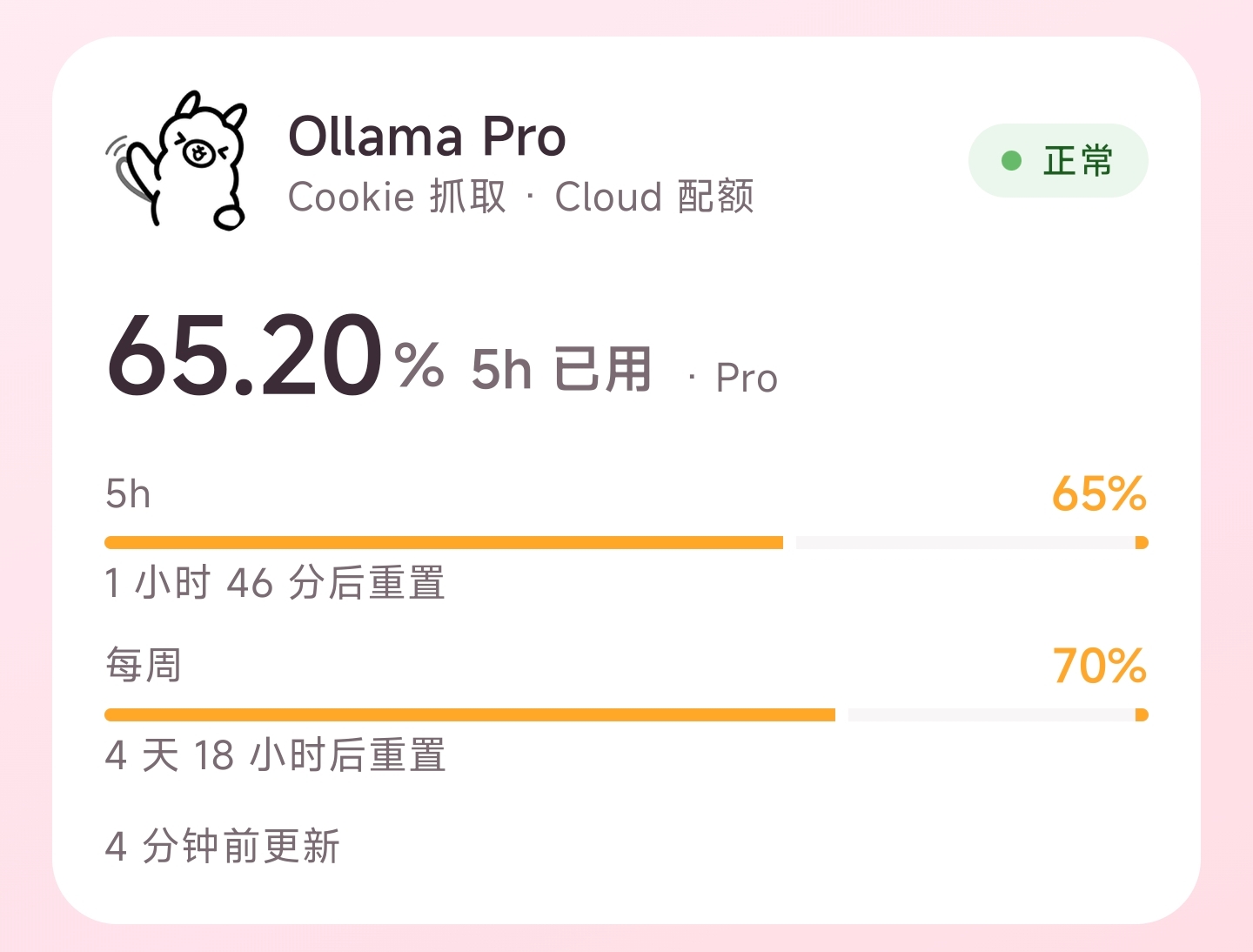
Home screen widget · Ollama home card
--- ## ✨ Features | Feature | Description | |------|------| | 📊 **Dashboard** | DeepSeek balance (¥) + usage/balance cards for each service; OCGO/CCGO cards link directly to usage details; long-press & drag to reorder (persisted); pull-to-refresh globally · tablet-adaptive two-pane layout | | 📈 **Usage charts** | 3 Canvas-drawn charts — amount spent / API request count / token consumption (dual data sources: OCGO & CCGO); UTC+0/UTC+8 timezone switching and custom day/month/range; automatic fallback (no data in last 5h → 12h → 7 days → current month); side-by-side on tablets | | 📱 **Tablet adaptation** | Global `BoxWithConstraints` adaptive container width; ≥600dp dual-column cards, ≥700dp side-by-side charts; two-pane 35/65 split (Expanded mode); supports Android 13+ predictive back gestures | | 📋 **Detailed data** | Paginated browsing of raw records with time + model filtering; tap to view full fields | | 🔍 **Multi-granularity filters** | 5 hours / 12 hours (10-minute buckets) / 24 hours / today / yesterday / last 7 days / last 30 days / current month / custom day · month · range | | 🏷️ **Model filtering** | Multi-select / single-select / select all, with dynamic legends that wrap automatically | | 📱 **Home screen widget** | Check usage without opening the app; switch between four services (OCGO/CCGO/Codex/Ollama) + DeepSeek balance; top-left corner → open app, tap elsewhere to switch, ↻ to refresh; can be added to the At a Glance screen; auto-refreshes when scrolled into view (MIUI exposure refresh) | | 🔄 **Auto sync** | Pull-to-refresh on home auto-syncs usage; auto full sync on startup when no cache; CCGO detail page supports manual clear & re-sync | | 🌙 **Dark mode** | Fully adaptive — in-app text/icons/background switch automatically; widget adapts independently with a dark layout | | ➕ **One-tap add to home screen** | Tap + inside the app to add the widget directly, no need to browse the system list; double confirmation + permission check | | 💡 **Usage tips** | Home page shows a random operation tip (refreshed on each launch); settings page lists all 13 hidden tips | | ⚡ **Room database** | Usage records stored in Room (indexed on workspaceId+timeCreated); DAO queries replace full JSON serialization; auto-migration from the legacy DataStore on first launch | | 🎀 **Rainy pink theme** | Material Design 3 · Strawberry Pink #FF85A2 · Sakura Pink #FFD1DC | | 🔐 **Codex OAuth sign-in** | Headless OAuth PKCE: the app generates an authorization link → sign in in an external browser → paste the callback URL to complete authorization; no manual auth.json export needed | | ⚡ **Codex one-tap usage activation** | Codex detail page can send a short request to the ChatGPT API to trigger usage tracking; model list fetched dynamically from models.dev and persisted, with manual refresh; response dialog is copyable | | ⚡ **OCGO / Ollama one-tap usage activation** | OCGO detail page can send a request to `opencode.ai/zen/v1`, Ollama detail page to `ollama.com/v1` to trigger usage tracking; API keys are entered manually in settings; model lists fetched dynamically from models.dev | | 🐛 **Debug logs** | In-app "Debug Logs" page showing detailed logs of Repository network requests, token refreshes, parse errors, etc.; no computer needed | | 🌐 **Multilingual** | Simplified Chinese / 繁體中文 / English interface; one-tap switching in settings (follow system / Simplified / Traditional / English); two-way sync with the system "App languages" page on Android 13+; non-CN/EN system languages fall back to English; home screen app name and widget follow the language | --- ## 📦 Download Download the latest APK from [Releases](https://github.com/CATMIAOZHI/Rainytoken/releases). > ⚠️ You need a DeepSeek API Key, OpenCode Go login credentials, CommandCode Go API Key, Codex (OAuth sign-in or pasted auth.json), or an Ollama Cookie to fetch data. --- ## 🏗️ Architecture ``` ┌──────────────────────────────────────────────────────────────────┐ │ Android App │ │ │ │ ┌────────────────────────────────────────────────────────────┐ │ │ │ Compose UI (3-layer screens) │ │ │ │ Dashboard · Usage Charts · Totals · Detail · Settings │ │ │ └──────────────────────────────┬─────────────────────────────┘ │ │ │ │ │ ┌──────────────────────────────▼─────────────────────────────┐ │ │ │ ViewModel Layer (MVVM) │ │ │ │ DashboardVM · UsageVM · UsageChartVM │ │ │ │ · UsageDataVM (Hilt injected) │ │ │ └──────────────────────────────┬─────────────────────────────┘ │ │ │ │ │ ┌──────────────────────────────▼─────────────────────────────┐ │ │ │ UseCase Layer │ │ │ │ RefreshBalanceUseCase (balance) │ │ │ │ SyncUsageUseCase / SyncCommandCodeUsageUseCase │ │ │ └──────────────────────────────┬─────────────────────────────┘ │ │ │ │ │ ┌──────────────────────────────▼─────────────────────────────┐ │ │ │ Repository + Network │ │ │ │ DeepSeekApi (Retrofit) · OpenCodeGo web scraping │ │ │ │ · OpenCodeUsageRepository · CommandCodeUsageRepository │ │ │ │ · CodexRepository · OllamaRepository (OkHttp) │ │ │ └──────────────────────────────┬─────────────────────────────┘ │ │ │ │ │ ┌──────────────────────────────▼─────────────────────────────┐ │ │ │ Local Storage │ │ │ │ BalanceCache (DataStore) │ │ │ │ UsageCache (Room, indexed on workspaceId+timeCreated) │ │ │ │ CredentialRepository (Keystore AES-256 GCM) │ │ │ └────────────────────────────────────────────────────────────┘ │ └──────────────────────────────────────────────────────────────────┘ ``` --- ## 📁 Project Structure ``` Rainytoken/ ├── app/src/main/java/com/rainy/token/ │ ├── data/ │ │ ├── cache/ # BalanceCache (DataStore) │ │ ├── local/ # UsageCache (Room), UsageRecordEntity, UsageDao, UsageDatabase, ChartBucket │ │ ├── remote/ # DeepSeekApi (Retrofit) + OpenCodeGo scraping + UsageRepository │ │ └── repository/ # DeepSeek / OpenCodeGo / CommandCode / Codex / Ollama / Credential repositories │ ├── domain/ │ │ ├── model/ # ServiceBalance, Credential, etc. │ │ ├── service/ # ServiceType enum │ │ └── usecase/ # RefreshBalanceUseCase / SyncUsageUseCase / SyncCommandCodeUsageUseCase │ ├── ui/ │ │ ├── dashboard/ # DashboardScreen / UsageDetailScreen / UsageOverviewScreen / UsageDataScreen │ │ ├── widget/ # Home screen widget (OpenCodeGoWidgetProvider) │ │ ├── components/ # ServiceIcon / StatusChip, etc. │ │ ├── theme/ # Rainy pink theme (StrawberryPink / InkMuted) │ │ └── RainyTokenNavHost.kt # Navigation routes │ └── di/ # Hilt modules ├── gradle/libs.versions.toml # Version Catalog dependency management ├── build.gradle.kts # Project-level configuration └── settings.gradle.kts # Project settings ``` --- ## 🛠️ Build ### Option 1: Android Studio (recommended) 1. Clone the repository: `git clone https://github.com/CATMIAOZHI/Rainytoken.git` 2. Open the project in Android Studio 3. Sync Gradle, connect a device, and hit Run ▶️ ### Option 2: Command line ```bash # Run unit tests ./gradlew testDebugUnitTest # Build a Debug APK ./gradlew assembleDebug # APK output: app/build/outputs/apk/debug/app-debug.apk # Build a Release APK ./gradlew assembleRelease ```RainyToken · the Rainy Family tools