 Liuxinyu176
8062a54252
Liuxinyu176
8062a54252
- INTL 详细页不再显示每日签到卡(国际版无签到体系),改为说明卡 - Trae 账户信息卡在美元计费时显示套餐名 + Premium 快速/慢速、高级、自动补全月配额 - INTL 不再生成 0 积分权益包计数,避免残留“积分”字样 |
||
|---|---|---|
| .github/workflows | ||
| app | ||
| docs | ||
| gradle | ||
| scripts | ||
| tools | ||
| .gitignore | ||
| AGENTS.md | ||
| build.gradle.kts | ||
| gradle.properties | ||
| gradlew | ||
| gradlew.bat | ||
| LICENSE | ||
| README.en.md | ||
| README.md | ||
| settings.gradle.kts | ||
| setup_android_env.sh | ||
| taste.md | ||
| update.json | ||
RainyToken (雨晴Token)
"AI Balance & Usage at a Glance"


📸 Screenshots
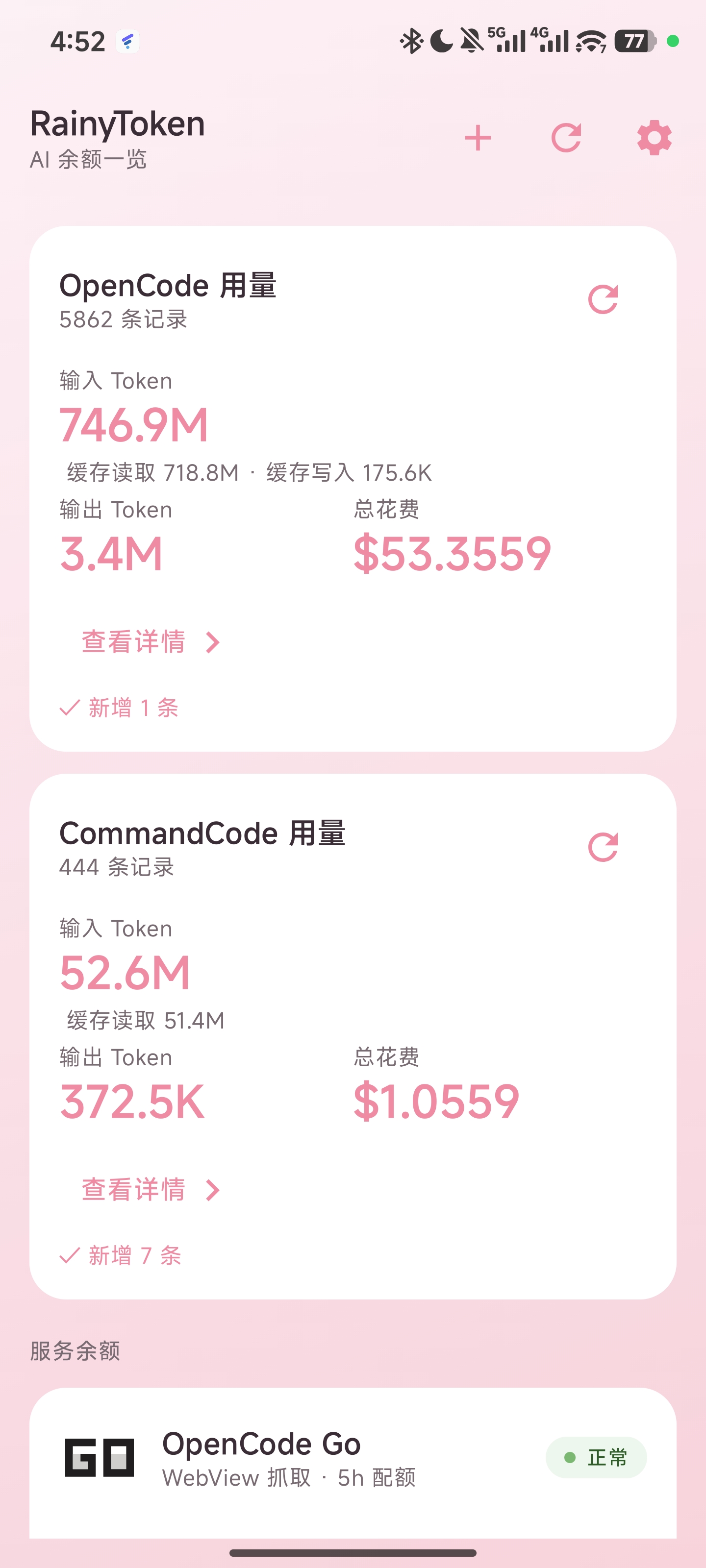
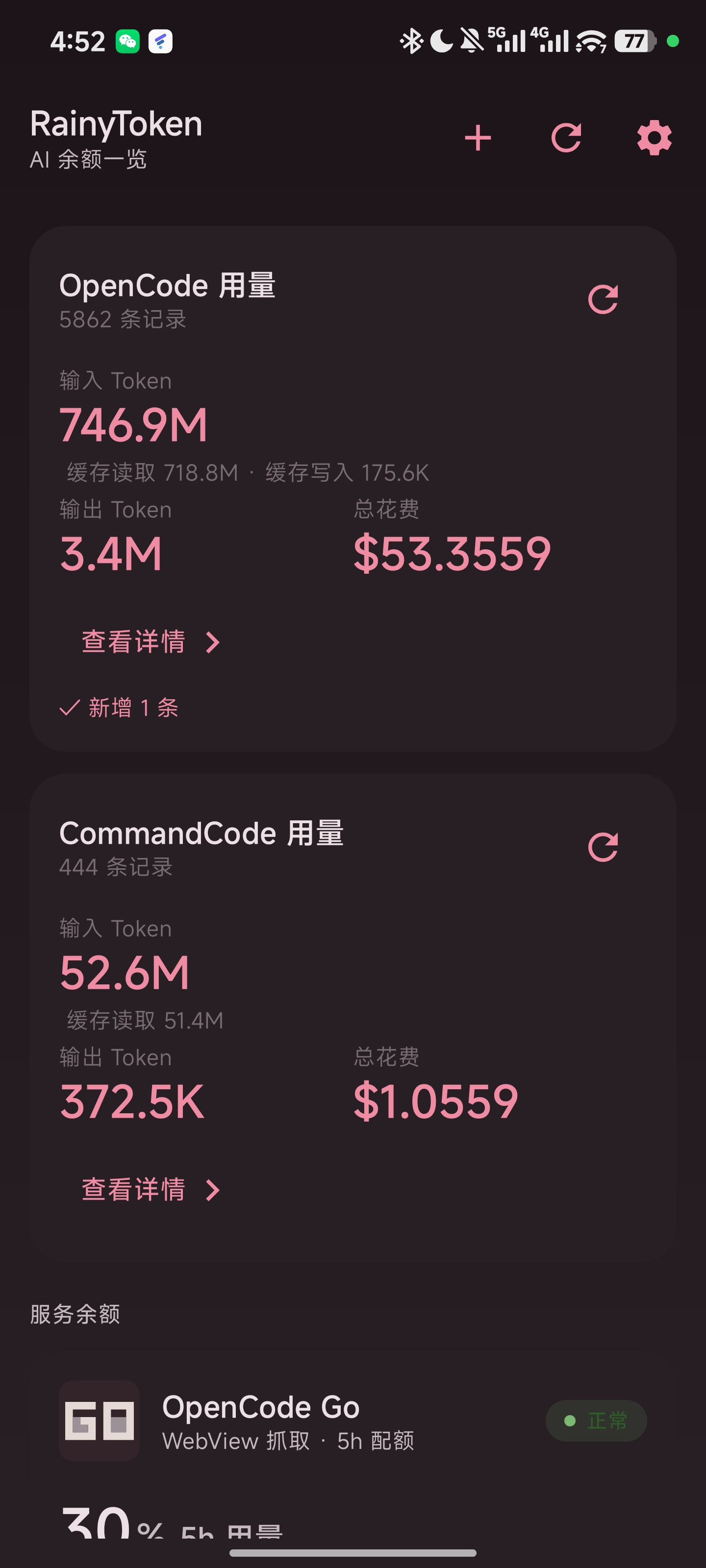
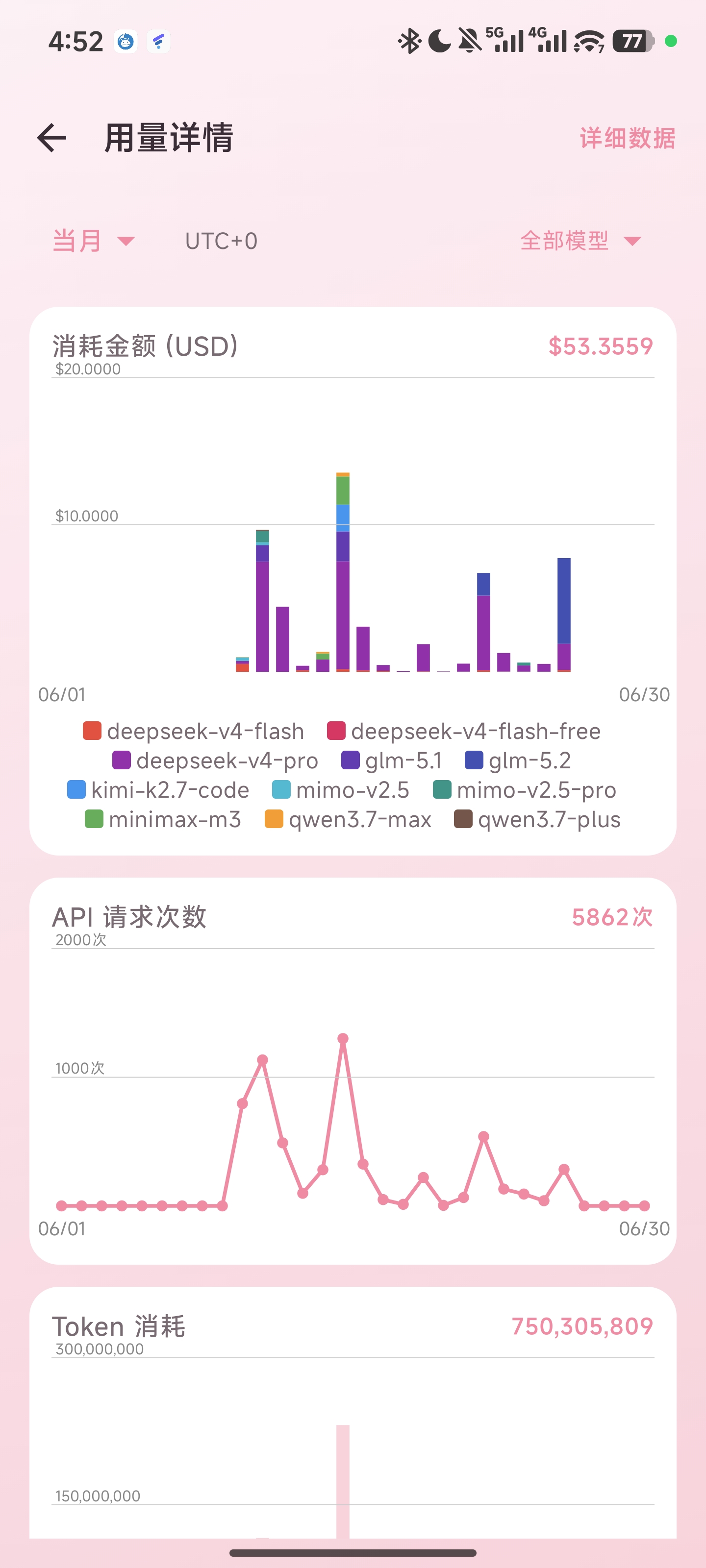
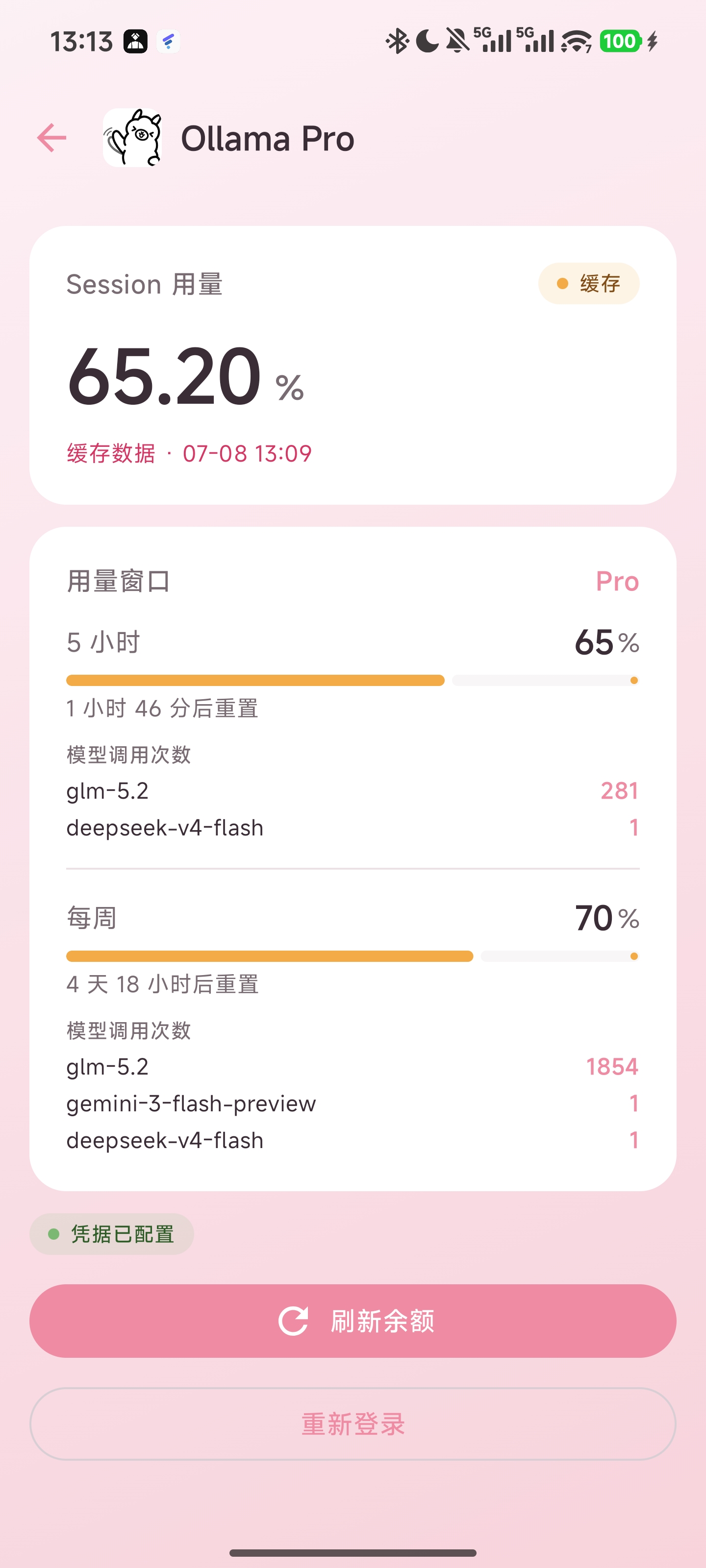
Dashboard (light) · Dashboard (dark) · Usage charts · Ollama model call counts
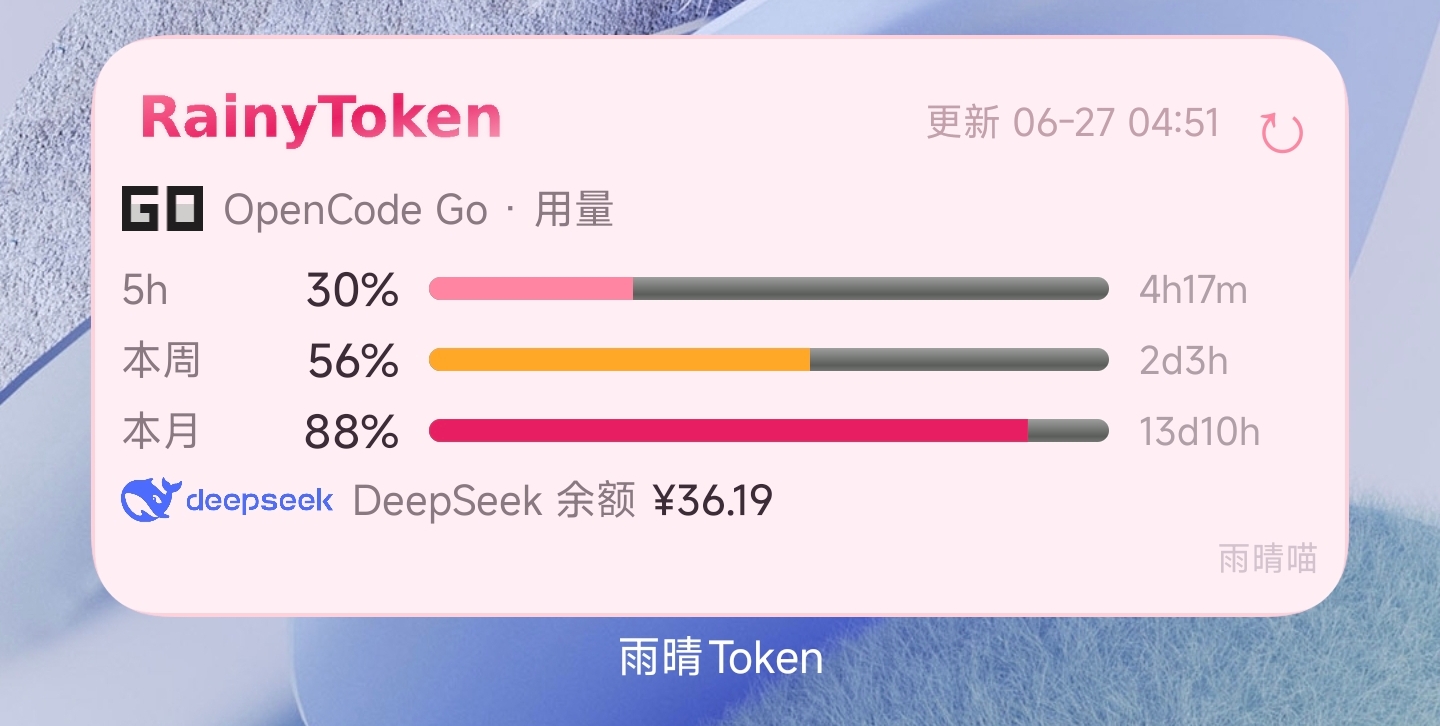
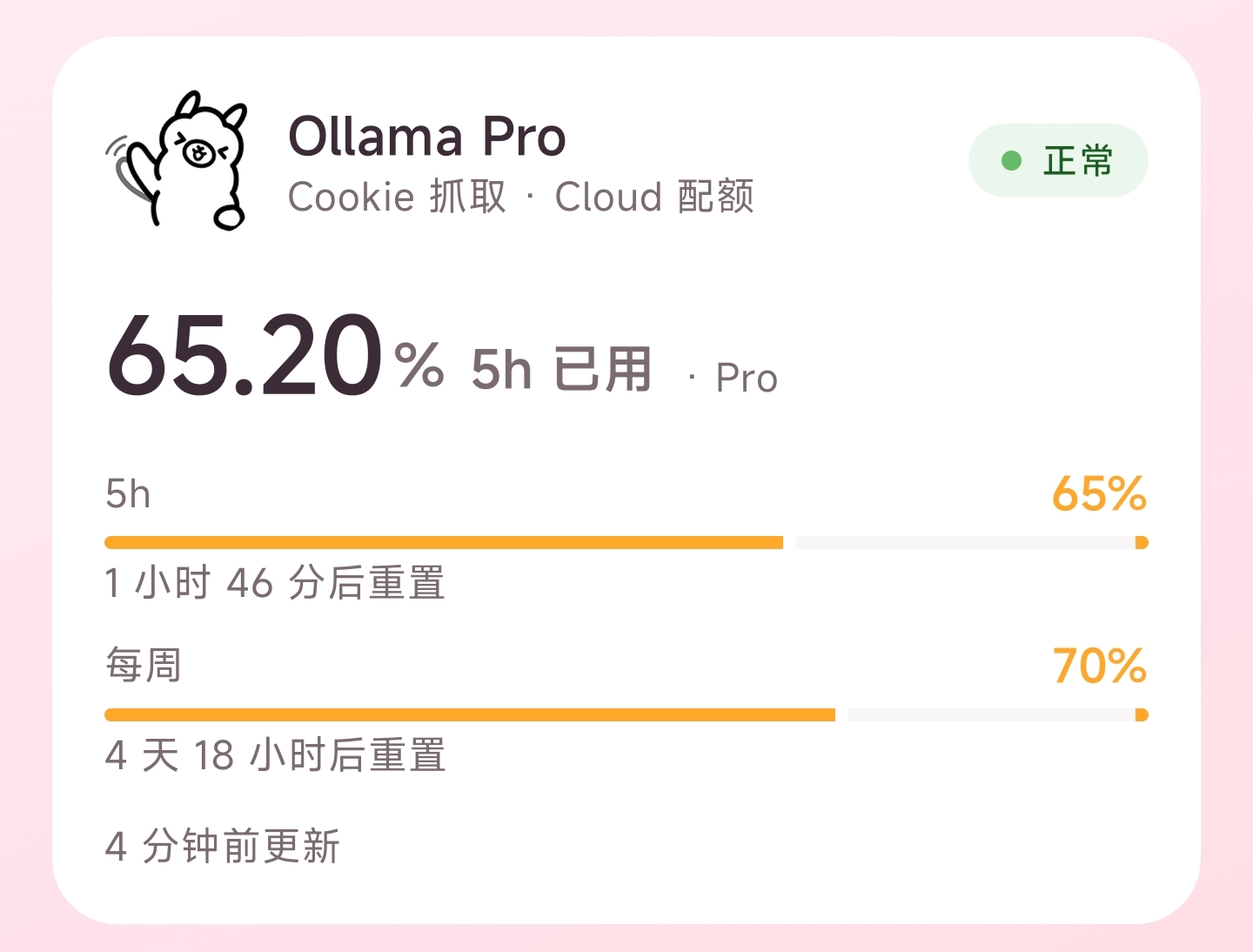
Home screen widget · Ollama home card
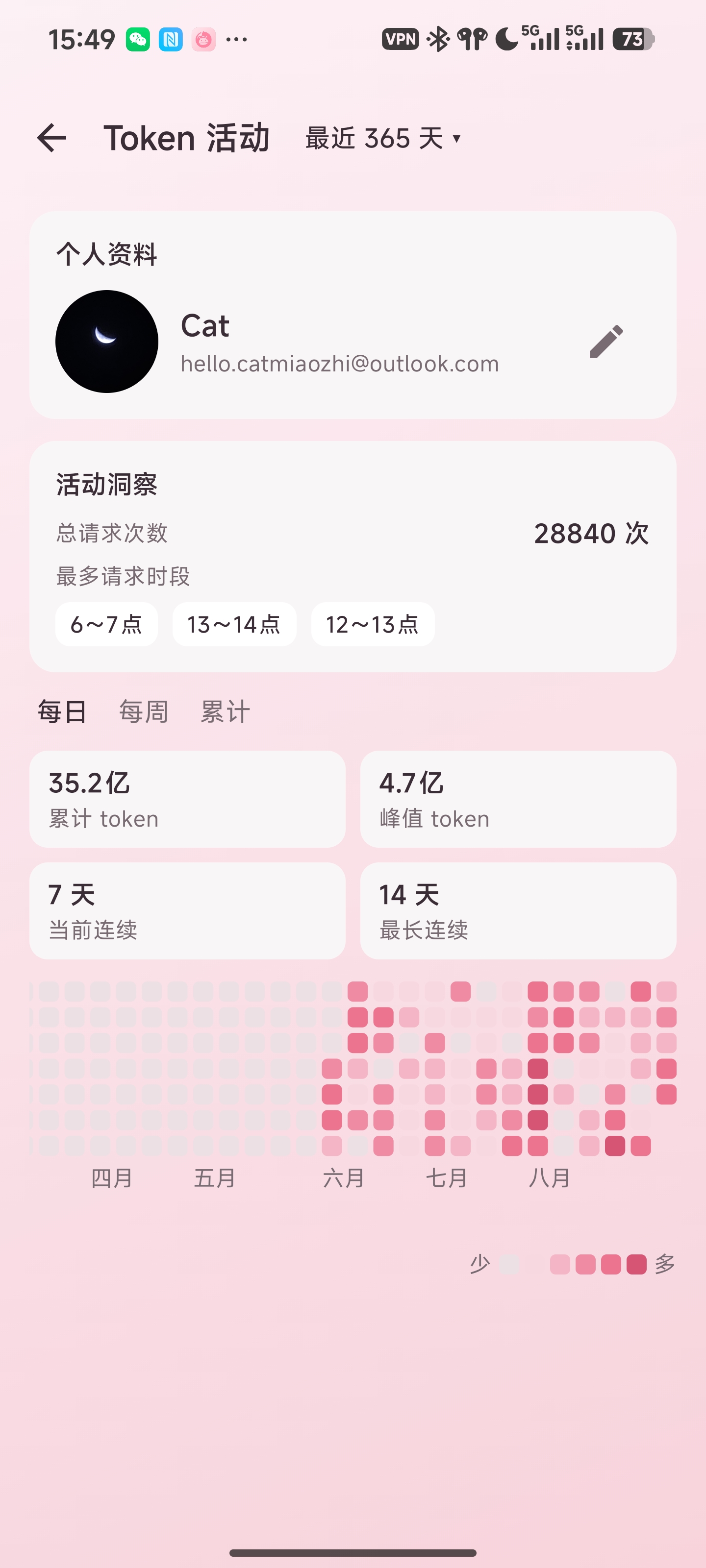
Token Activity
✨ Features
| Feature | Description |
|---|---|
| 📊 Dashboard | DeepSeek balance (¥) + usage/balance cards for each service; OCGO/CCGO cards link directly to usage details; long-press & drag to reorder (persisted); pull-to-refresh globally · tablet-adaptive two-pane layout |
| 📈 Usage charts | 3 Canvas-drawn charts — amount spent / API request count / token consumption (dual data sources: OCGO & CCGO); UTC+0/UTC+8 timezone switching and custom day/month/range; automatic fallback (no data in last 5h → 12h → 7 days → current month); side-by-side on tablets |
| 🗓️ Token Activity | OCGO daily token heatmap (GitHub contribution-graph style): daily / weekly / cumulative views + year switching (last 365 days by default, or a calendar year); personal profile + activity insights (total requests / top 3 request hours) + yearly stats (total / peak / streaks); 6-level pink quantile scale, tap / slide to inspect |
| 📱 Tablet adaptation | Global BoxWithConstraints adaptive container width; ≥600dp dual-column cards, ≥700dp side-by-side charts; two-pane 35/65 split (Expanded mode); supports Android 13+ predictive back gestures |
| 📋 Detailed data | Paginated browsing of raw records with time + model filtering; tap to view full fields |
| 🔍 Multi-granularity filters | 5 hours / 12 hours (10-minute buckets) / 24 hours / today / yesterday / last 7 days / last 30 days / current month / custom day · month · range |
| 🏷️ Model filtering | Multi-select / single-select / select all, with dynamic legends that wrap automatically |
| 📱 Home screen widget | Check usage without opening the app; switch between four services (OCGO/CCGO/Codex/Ollama) + DeepSeek balance; top-left corner → open app, tap elsewhere to switch, ↻ to refresh; can be added to the At a Glance screen; auto-refreshes when scrolled into view (MIUI exposure refresh) |
| 🔄 Auto sync | Pull-to-refresh on home auto-syncs usage; auto full sync on startup when no cache; CCGO detail page supports manual clear & re-sync |
| 🌙 Dark mode | Fully adaptive — in-app text/icons/background switch automatically; widget adapts independently with a dark layout |
| ➕ One-tap add to home screen | Tap + inside the app to add the widget directly, no need to browse the system list; double confirmation + permission check |
| 💡 Usage tips | Home page shows a random operation tip (refreshed on each launch); settings page lists all 13 hidden tips |
| ⚡ Room database | Usage records stored in Room (indexed on workspaceId+timeCreated); DAO queries replace full JSON serialization; auto-migration from the legacy DataStore on first launch |
| 🎀 Rainy pink theme | Material Design 3 · Refined Rose primary #C9436C · Blush white background #FDEFF4 |
| 🔐 Codex OAuth sign-in | Headless OAuth PKCE: the app generates an authorization link → sign in in an external browser → paste the callback URL to complete authorization; no manual auth.json export needed |
| ⚡ Codex one-tap usage activation | Codex detail page can send a short request to the ChatGPT API to trigger usage tracking; model list fetched dynamically from models.dev and persisted, with manual refresh; response dialog is copyable |
| ⚡ OCGO / Ollama one-tap usage activation | OCGO detail page can send a request to opencode.ai/zen/v1, Ollama detail page to ollama.com/v1 to trigger usage tracking; API keys are entered manually in settings; model lists fetched dynamically from models.dev |
| 🐛 Debug logs | In-app "Debug Logs" page showing detailed logs of Repository network requests, token refreshes, parse errors, etc.; no computer needed |
| 🌐 Multilingual | Simplified Chinese / 繁體中文 / English interface; one-tap switching in settings (follow system / Simplified / Traditional / English); two-way sync with the system "App languages" page on Android 13+; non-CN/EN system languages fall back to English; home screen app name and widget follow the language |
📦 Download
Download the latest APK from Releases.
⚠️ You need a DeepSeek API Key, OpenCode Go login credentials, CommandCode API Key, Codex (OAuth sign-in or pasted auth.json), or an Ollama Cookie to fetch data.
🏗️ Architecture
┌──────────────────────────────────────────────────────────────────┐
│                           Android App                            │
│                                                                  │
│  ┌────────────────────────────────────────────────────────────┐  │
│  │ Compose UI (3-layer screens)                               │  │
│  │ Dashboard · Usage Charts · Totals                          │  │
│  │ Detail · Token Activity · Settings                         │  │
│  └──────────────────────────────┬─────────────────────────────┘  │
│                                 │                                │
│  ┌──────────────────────────────▼─────────────────────────────┐  │
│  │ ViewModel Layer (MVVM)                                     │  │
│  │ DashboardVM · UsageVM · UsageChartVM                       │  │
│  │ · UsageDataVM (Hilt injected)                              │  │
│  └──────────────────────────────┬─────────────────────────────┘  │
│                                 │                                │
│  ┌──────────────────────────────▼─────────────────────────────┐  │
│  │ UseCase Layer                                              │  │
│  │ RefreshBalanceUseCase (balance)                            │  │
│  │ SyncUsageUseCase / SyncCommandCodeUsageUseCase             │  │
│  └──────────────────────────────┬─────────────────────────────┘  │
│                                 │                                │
│  ┌──────────────────────────────▼─────────────────────────────┐  │
│  │ Repository + Network                                       │  │
│  │ DeepSeekApi (Retrofit) · OpenCodeGo web scraping           │  │
│  │ · OpenCodeUsageRepository · CommandCodeUsageRepository     │  │
│  │ · CodexRepository · OllamaRepository (OkHttp)              │  │
│  └──────────────────────────────┬─────────────────────────────┘  │
│                                 │                                │
│  ┌──────────────────────────────▼─────────────────────────────┐  │
│  │ Local Storage                                              │  │
│  │ BalanceCache (DataStore)                                   │  │
│  │ UsageCache (Room, indexed on workspaceId+timeCreated)      │  │
│  │ CredentialRepository (Keystore AES-256 GCM)                │  │
│  └────────────────────────────────────────────────────────────┘  │
└──────────────────────────────────────────────────────────────────┘
📁 Project Structure
Rainytoken/
├── app/src/main/java/com/rainy/token/
│   ├── data/
│   │   ├── cache/          # BalanceCache (DataStore)
│   │   ├── local/          # UsageCache (Room), UsageRecordEntity, UsageDao, UsageDatabase, ChartBucket
│   │   ├── remote/         # DeepSeekApi (Retrofit) + OpenCodeGo scraping + UsageRepository
│   │   └── repository/     # DeepSeek / OpenCodeGo / CommandCode / Codex / Ollama / Credential repositories
│   ├── domain/
│   │   ├── model/          # ServiceBalance, Credential, etc.
│   │   ├── service/        # ServiceType enum
│   │   └── usecase/        # RefreshBalanceUseCase / SyncUsageUseCase / SyncCommandCodeUsageUseCase
│   ├── ui/
│   │   ├── dashboard/      # DashboardScreen / UsageDetailScreen / UsageOverviewScreen / UsageDataScreen
│   │   ├── heatmap/        # Token Activity heatmap (HeatmapScreen / HeatmapCanvas / HeatmapViewModel)
│   │   ├── servicedetail/  # Service detail (ServiceDetailScreen)
│   │   ├── settings/       # Settings / credential editing (SettingsScreen / CredentialEditScreen)
│   │   ├── webview/        # Web login / Codex OAuth (WebViewLoginScreen / CodexOAuthScreen)
│   │   ├── widget/         # Home screen widget (OpenCodeGoWidgetProvider)
│   │   ├── components/     # ServiceIcon / StatusChip, etc.
│   │   ├── theme/          # Rainy pink theme (StrawberryPink / InkMuted)
│   │   └── RainyTokenNavHost.kt  # Navigation routes
│   └── di/                 # Hilt modules
├── gradle/libs.versions.toml   # Version Catalog dependency management
├── build.gradle.kts            # Project-level configuration
└── settings.gradle.kts         # Project settings
🛠️ Build
Option 1: Android Studio (recommended)
- Clone the repository:
git clone https://github.com/CATMIAOZHI/Rainytoken.git - Open the project in Android Studio
- Sync Gradle, connect a device, and hit Run ▶️
Option 2: Command line
# Run unit tests
./gradlew testDebugUnitTest

# Build a Debug APK
./gradlew assembleDebug
# APK output: app/build/outputs/apk/debug/app-debug.apk

# Build a Release APK
./gradlew assembleRelease
🔧 ARM64 environment notes (optional)
The project bundles an ARM64 AAPT2 binary, which is enabled automatically in ARM64 environments such as Proot/Termux:
chmod +x ./setup_android_env.sh
./setup_android_env.sh
The script configures $ANDROID_HOME and uses the project-bundled ARM64 build-tools.
Extra Release build configuration: Under ARM64 Proot, AGP 9.0 passes --resource-path-shortening-map=<path> (equals-sign syntax) to optimizeReleaseResources, which the ARM64 AAPT2 does not accept. Configure the AAPT2 wrapper in ~/.gradle/gradle.properties (global, not committed to the repository):
android.aapt2FromMavenOverride=/path/to/android-aapt2-wrapper/aapt2
The wrapper script splits the equals-sign syntax into two separate space-delimited argv entries. The project's build.gradle.kts includes a built-in guardReleaseResources task as a build safeguard (falls back to the linked .ap_ automatically when the optimized .ap_ is missing).
On x86_64 environments (GitHub Actions / regular Linux), the official AAPT2 is used automatically — no extra steps required.
📦 Dependency Management
The project manages all dependencies with a Gradle Version Catalog (gradle/libs.versions.toml).
| Dependency | Purpose |
|---|---|
androidx.compose:compose-bom |
Jetpack Compose BOM |
androidx.navigation:navigation-compose |
Page navigation |
com.squareup.retrofit2:retrofit |
DeepSeek REST API |
com.squareup.okhttp3:okhttp |
OpenCode Go web scraping |
org.jetbrains.kotlinx:kotlinx-serialization-json |
JSON serialization |
androidx.room:room-runtime |
Local usage database (Room) |
androidx.datastore:datastore-preferences |
Local caching |
com.google.dagger:hilt-android |
Dependency injection |
com.google.devtools.ksp:symbol-processing-api |
KSP annotation processing |
🔒 Security
- ✅ API keys / session credentials are stored in the Android Keystore (AES-256 GCM encrypted)
- ✅ Network requests are only sent to the official DeepSeek / OpenCode APIs
- ✅
allowBackup=false: encrypted credentials and usage data are excluded from system backups, preventing undecryptable ciphertext when restoring on a new device - ✅ Fixed signing key — every Release can be installed over the previous version
- ✅ Signing keys and passwords are stored encrypted in GitHub Secrets and decrypted during CI
🐱 About
RainyToken (雨晴Token) is the 4th member of the "Rainy Family" tools, maintained by 雨晴喵 (Rainy), released alongside the Rainy Family:
- RainyLLM — fully offline Android local LLM inference server (Gemma + OpenAI-compatible API)
- RainyScanner — Android QR scanner that neither intercepts nor redirects
- Rainy2FA — fully local · zero network · biometric-protected TOTP authenticator
- RainyToken — AI Balance & Usage Quota Query (this project)
📄 License
MIT License © 2026 Rainy
RainyToken · the Rainy Family tools